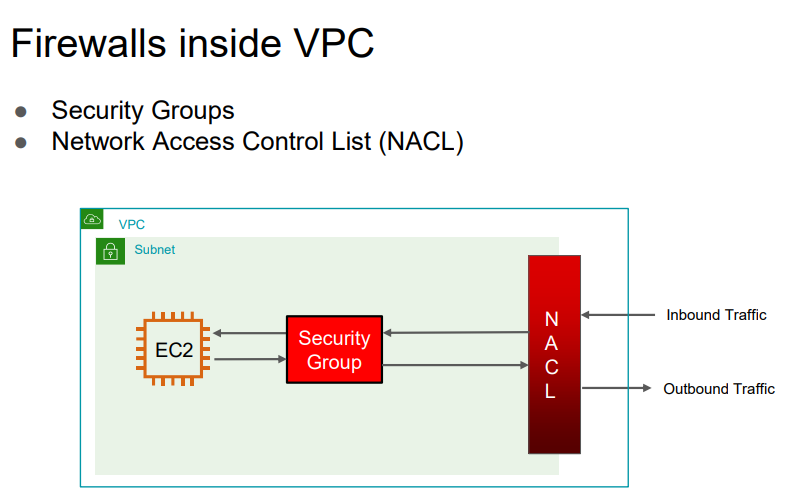
Security Groups
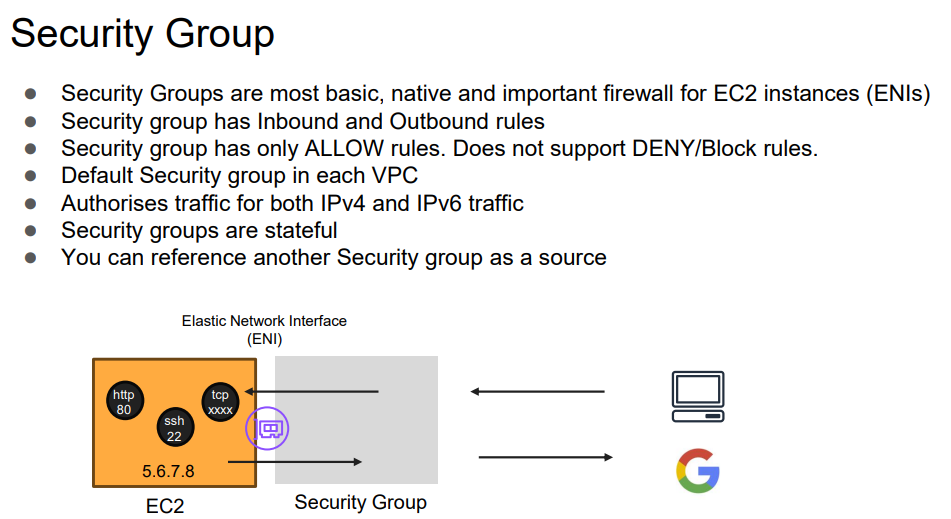
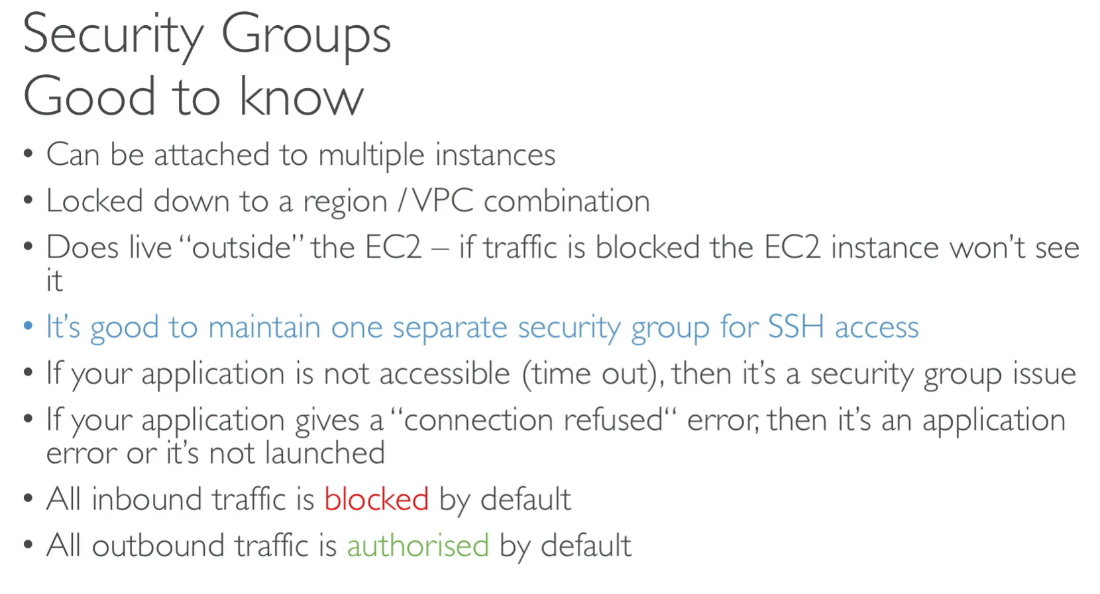
Info
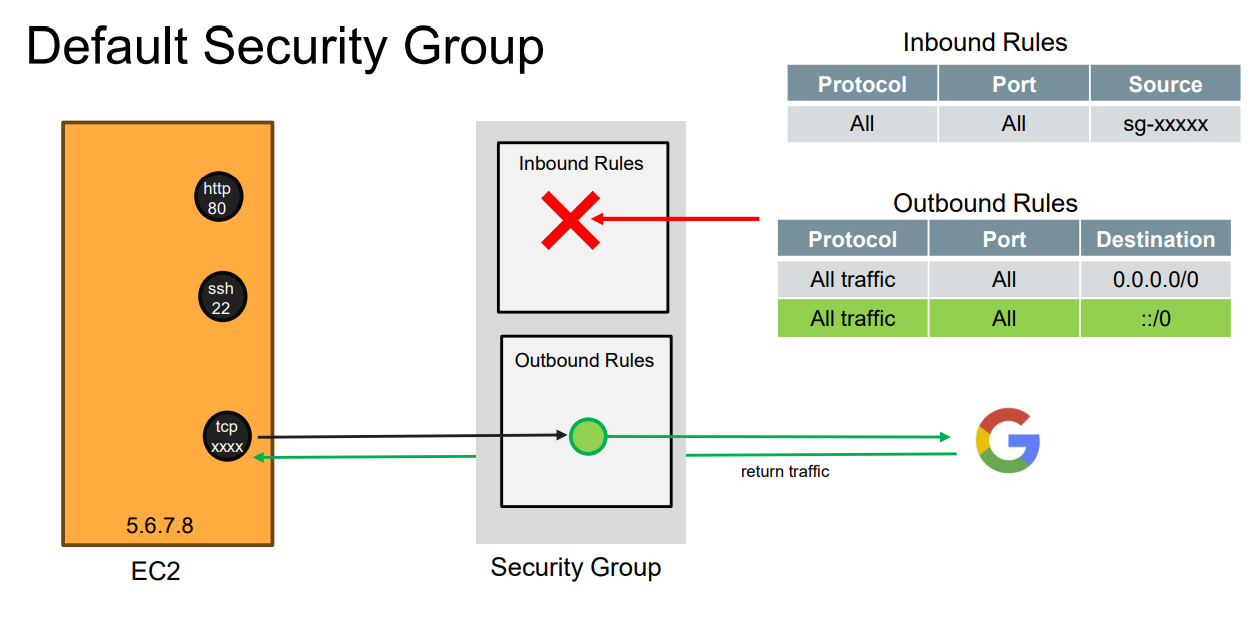
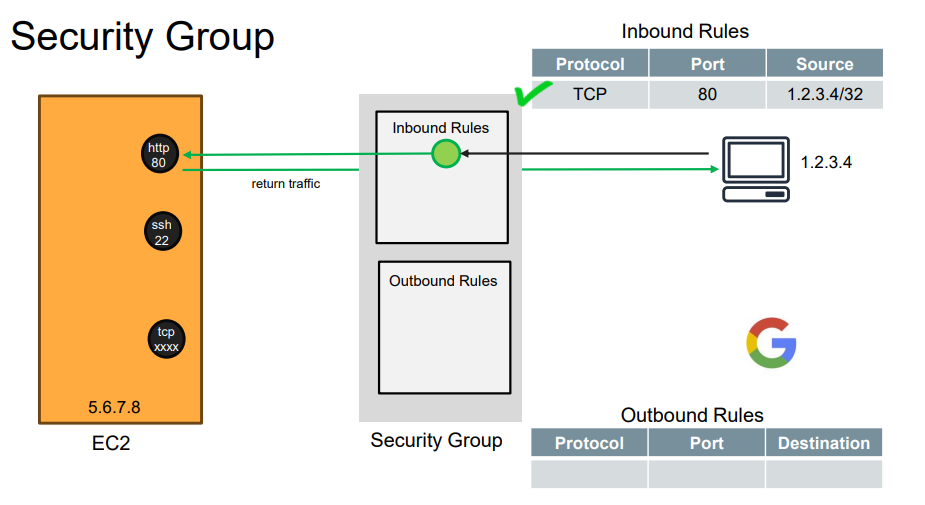
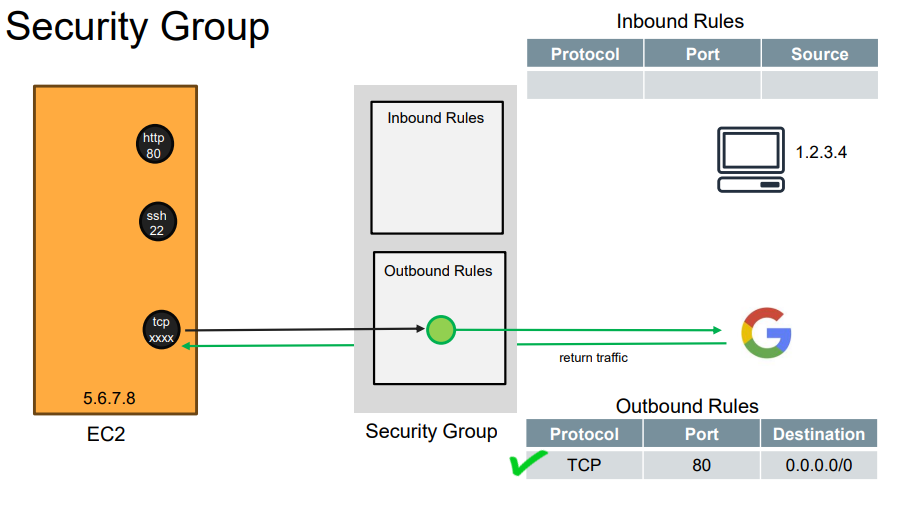
If your EC2 makes a valid outbound request, the response is automatically allowed back in, even if your inbound rules are empty.
- If EC2 is in a public subnet with internet access → ✅ You’ll get a JSON response.
- If EC2 is in a private subnet with no NAT → ❌ The request will hang or fail.
Inbound Rules
From 1 machine:
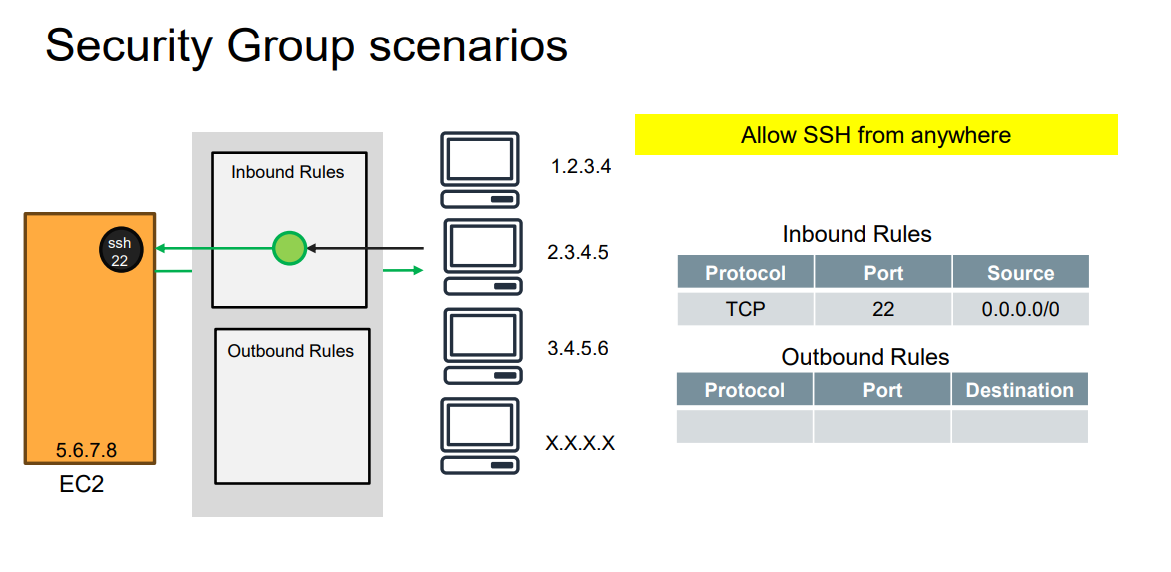
From anywhere SSH allowed:
Outbound Rules
Note
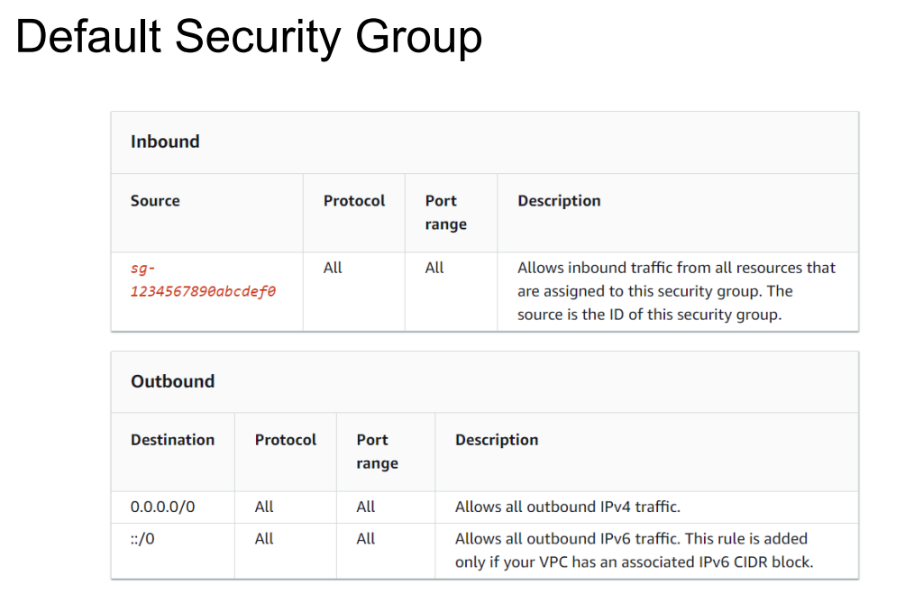
In Amazon EC2 Security Groups (SGs), the default outbound rule for a new security group is: Allow all outbound traffic (0.0.0.0/0 for IPv4 and ::/0 for IPv6) on all protocols and all ports.
Even if you remove default outbound: ✅ Your EC2 will still respond to incoming requests — like a browser request from your PC — because Security Groups are stateful.
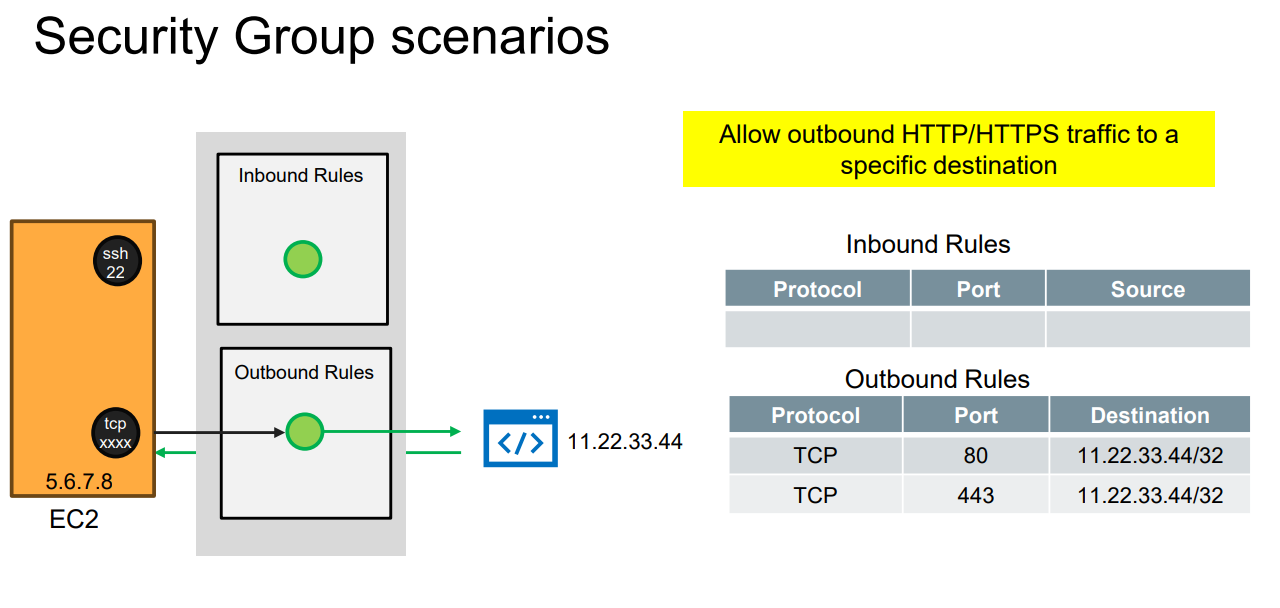
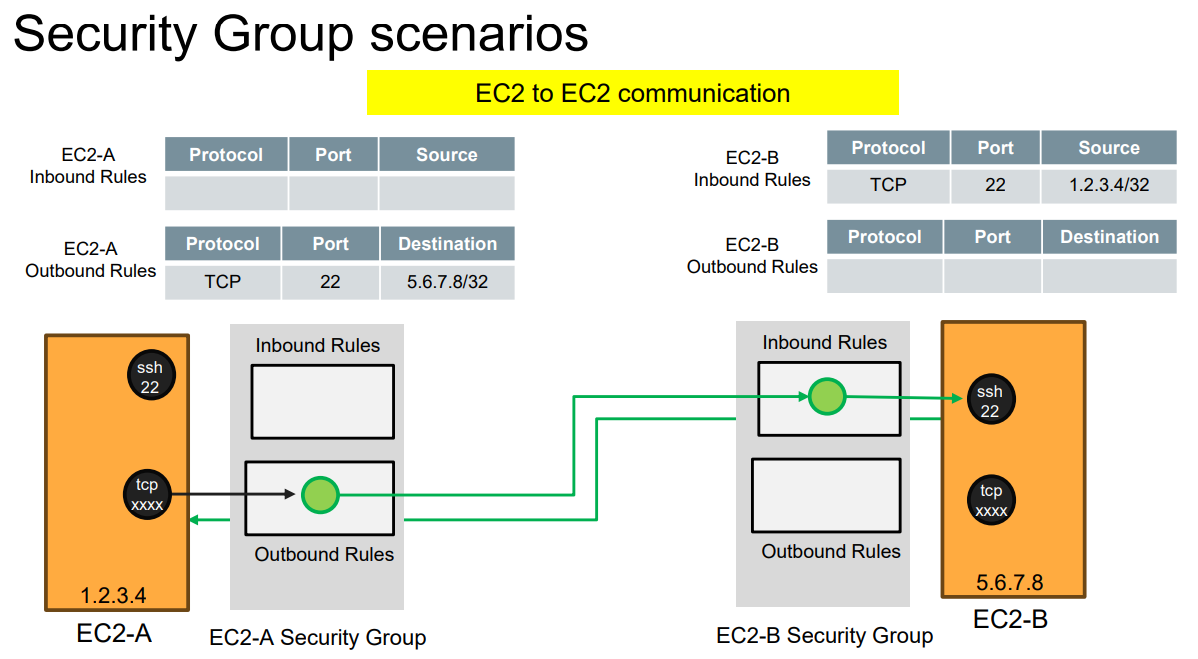
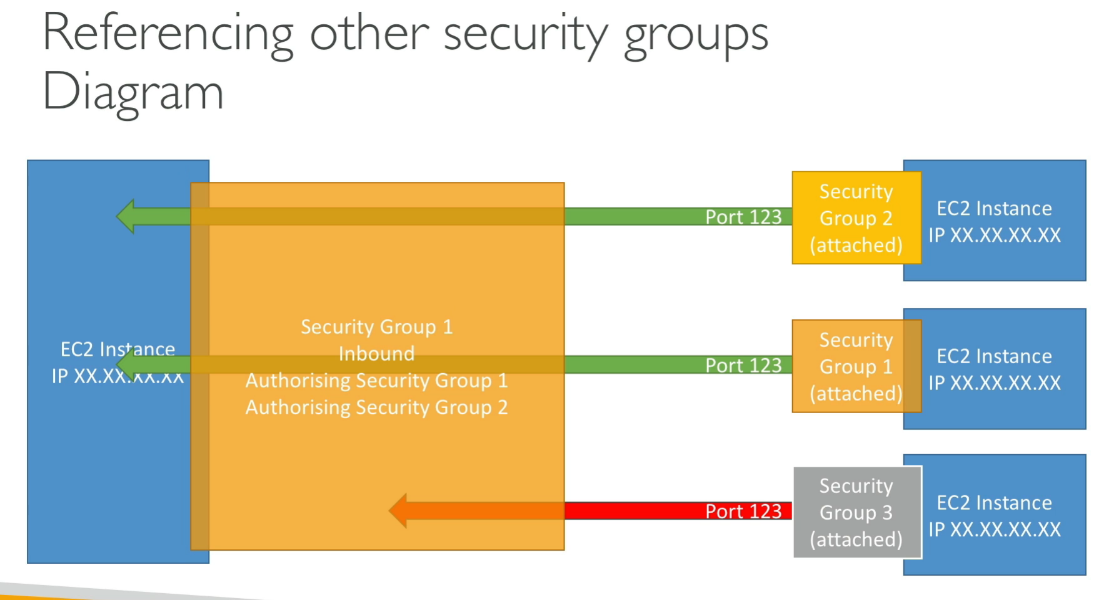
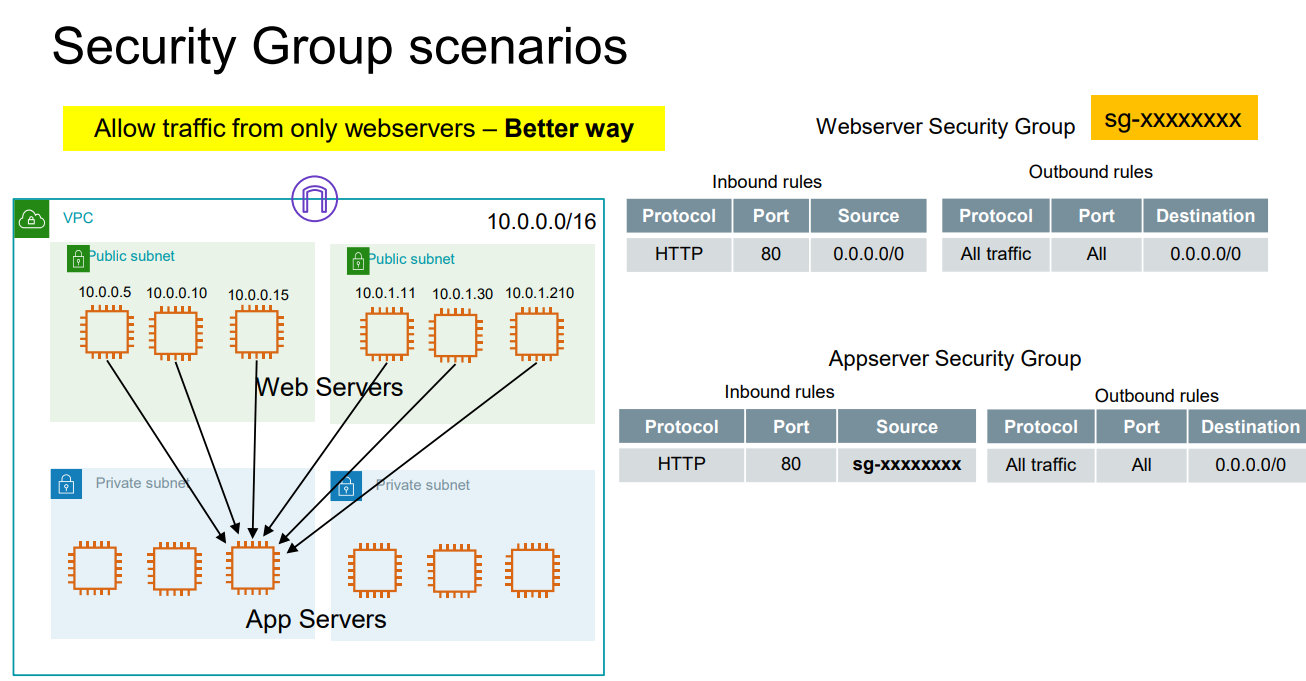
EC2 - EC2 Communication
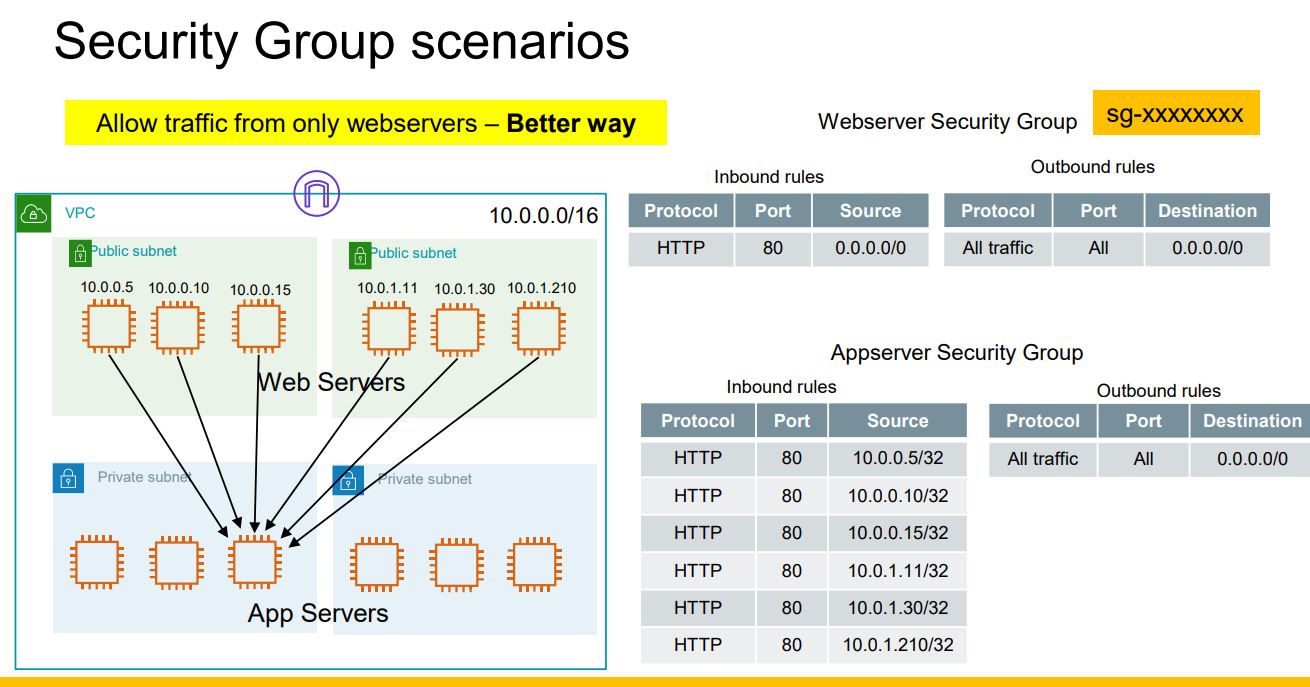
Only from the web servers :)
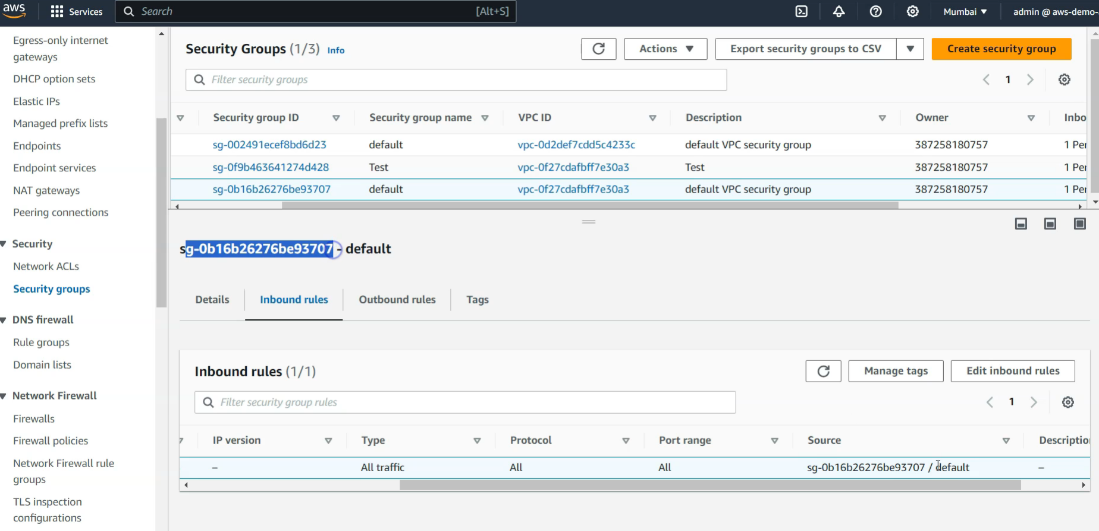
Default Security Group
Self reference in it’s inbound rule:
- All machine that are attach to it can talk to each other