1️⃣ What is Route 53?
-
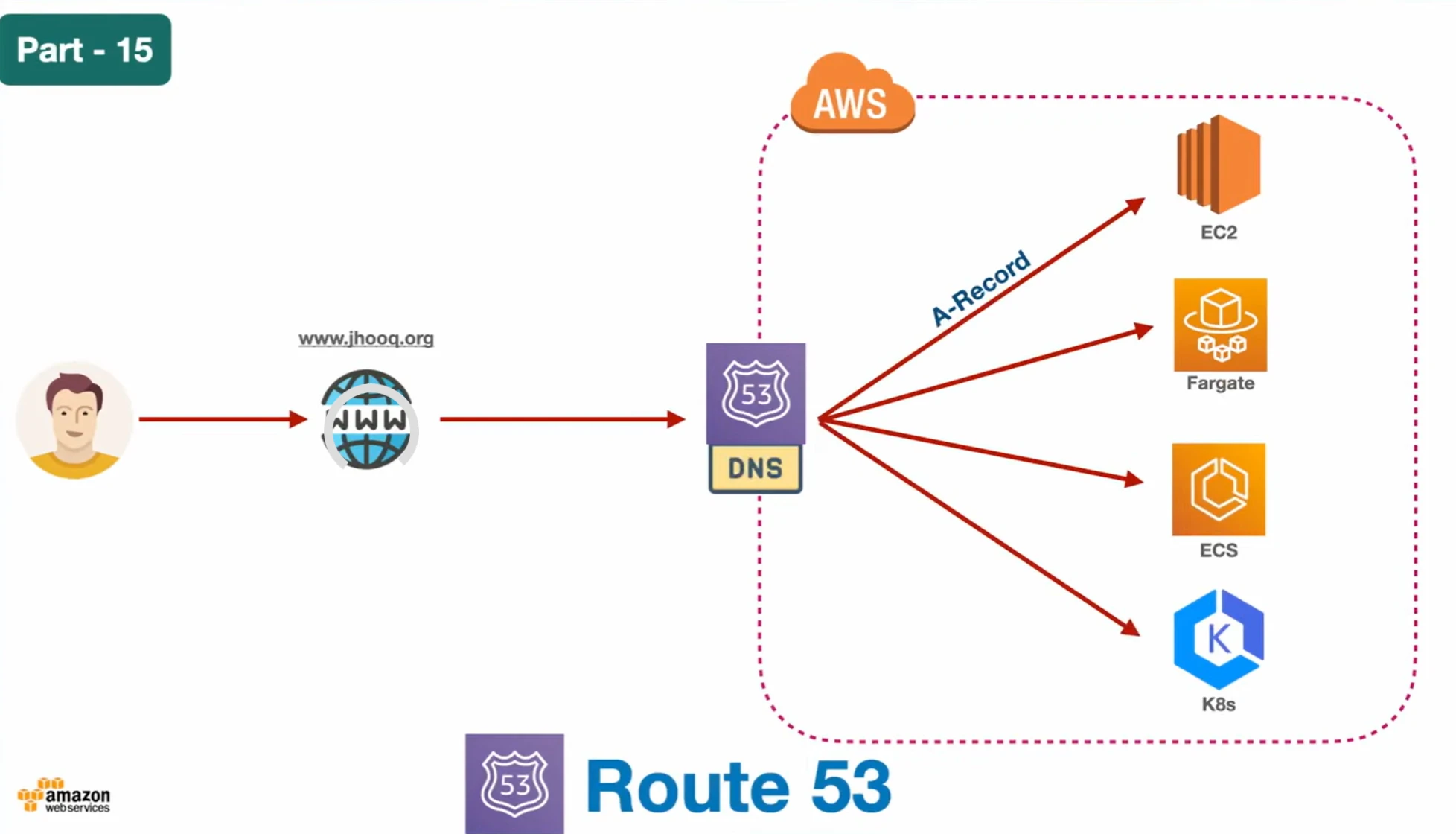
Amazon Route 53 is a scalable DNS (Domain Name System) service
-
It translates:
google.com → 142.250.xxx.xxx (IP address) -
Named Route 53 because:
- “Route” → traffic routing
- “53” → DNS uses port 53
2️⃣ Core Functions of Route 53
📌 1. Domain Registration
- Buy and manage domain names
- Example:
om-mapari.com(btw i use cloudflare for dns)
- Example:
📌 2. DNS Routing
- Maps domain → IP / resource
- Works with:
- EC2
- S3
- Load Balancer
- CloudFront
📌 3. Health Checking
- Monitors endpoints
- Routes traffic only to healthy resources
3️⃣ Key Components
📌 Hosted Zones
- A container for DNS records
- Types:
- Public Hosted Zone → internet-facing 🌍
- Accessible over internet
- Used for Websites
- Private Hosted Zone → inside VPC 🔒
- Works inside VPC only
- Used for
- Internal microservices
- Example:
db.internal → private IP inside VPC
- Public Hosted Zone → internet-facing 🌍
📌 DNS Records
| Record Type | Purpose |
|---|---|
A Record | Domain → IPv4 address |
CNAME | Domain → another domain |
Alias | AWS resource mapping (LB, S3, etc.) |
NS | Name servers (DNS resolution) |
SOA | Start of Authority (metadata, rarely used) |
AAAA | Domain → IPv6 |
📌 Important:
- NS record → resolves domain
- A/CNAME → routes traffic to resource
📌 Alias Record (Important ⭐)
- AWS-specific
- Points to:
- ELB
- CloudFront
- S3
- Benefits:
- No cost
- Supports root domain (
example.com)
📌 Step-by-step setup if you buy domain from other registrar :
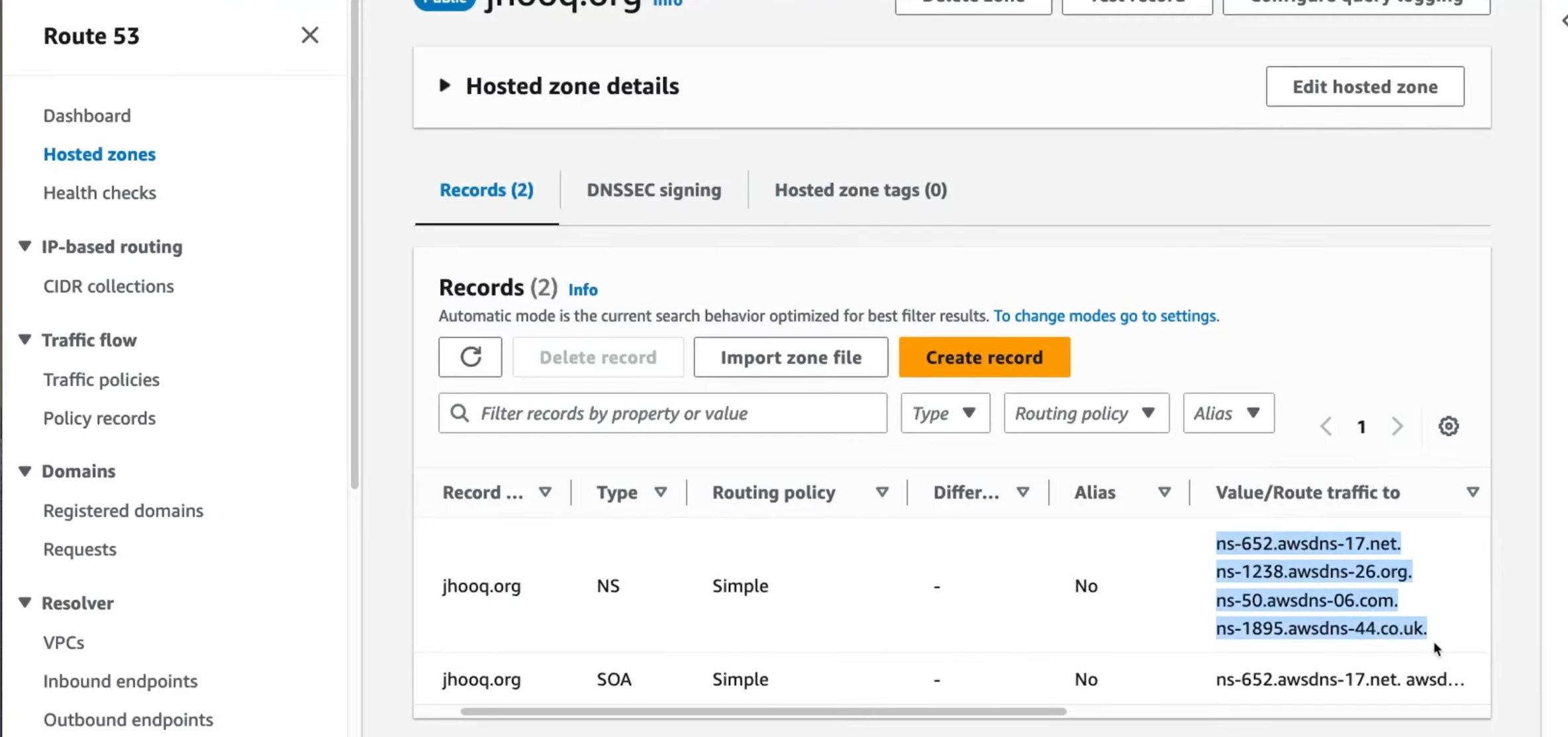
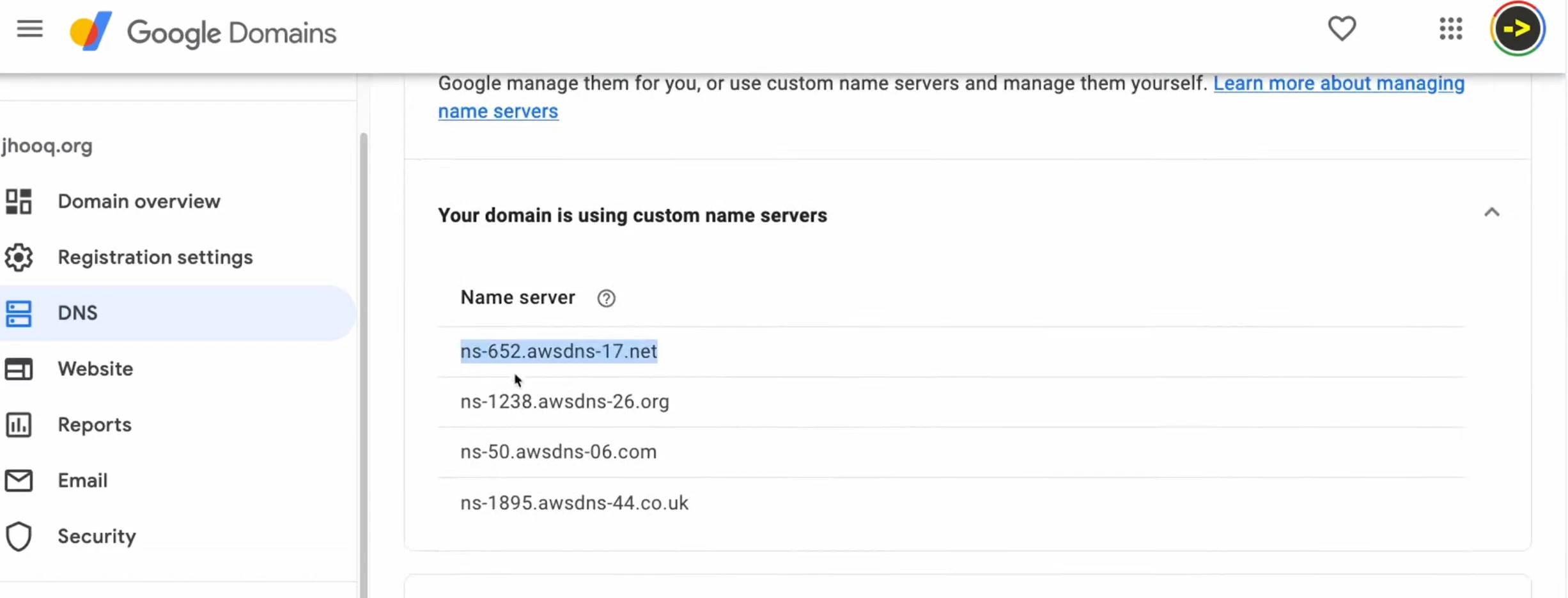
- Buy domain from registrar (GoDaddy, Google Domains, etc.)
- Create Hosted Zone in Route 53
- Copy AWS Name Servers (NS records)
- Replace registrar DNS with AWS NS
- 📌 Key: Always use Route 53 NS, not registrar default NS
4️⃣ Routing Policies (VERY IMPORTANT 🔥)
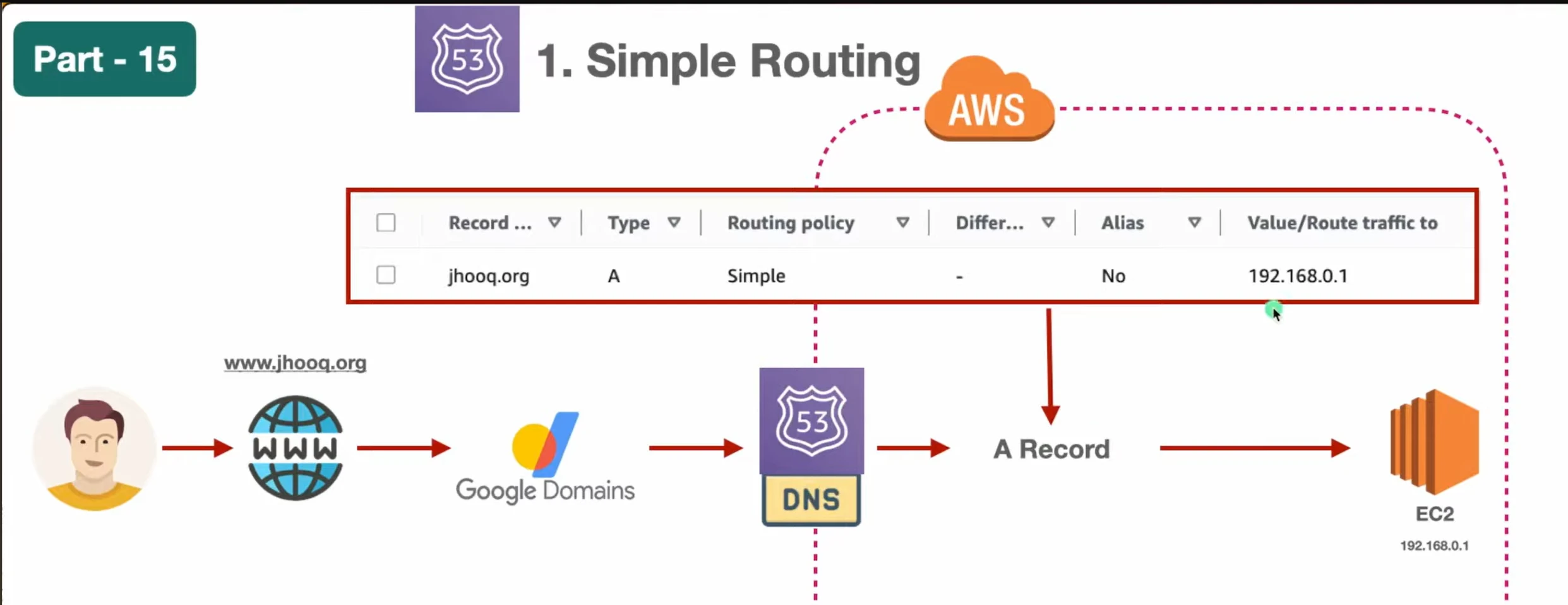
📌 1. Simple Routing
- Flow:
User → Route 53 → A Record → EC2 IP - Steps:
- Create A record
- Point to EC2 public IP
- Problem:
- IP is static → breaks if instance changes
📌 2. Weighted Routing
- Distributes traffic based on percentage
Server A → 70%
Server B → 30%
📌 3. Failover Routing
- Primary + Secondary setup
If primary fails → switch to backup - 📌 Flow:
- If Primary works → serve traffic
- If Primary fails → switch to Secondary
- Use cases:
- Disaster recovery
- High availability
📌 4. Geolocation Routing
- Route traffic based on user location (country)
- Example:
- India → Server A
- US → Server B
- Use cases:
- Region-specific content
- Compliance (data locality)
India → Indian server
US → US server
5️⃣ TTL (Time To Live)
- Time DNS record is cached
- Example:
- TTL = 300 sec
- Lower TTL:
- Faster updates ⚡
- More DNS queries
6️⃣ Alias vs CNAME
| Feature | Alias | CNAME |
|---|---|---|
| AWS-specific | ✅ | ❌ |
| Root domain supported | ✅ | ❌ |
| Cost | Free | Charged |
| Target | AWS resources | Domain only |
📌 Example:
om-mapari.com→ Alias (works)om-mapari.com→ CNAME (❌ not allowed)
7️⃣ Domain Resolution Flow (VERY IMPORTANT 🔥)
Add this for strong fundamentals:
User → Local DNS cache
     → ISP DNS
     → Root DNS
     → TLD (.com)
     → Route 53 NS
     → A Record
     → IP → Server
8️⃣ Real-World Architecture (Nice Add-on)
User
 ↓
Route 53 (DNS)
 ↓
CloudFront (CDN)
 ↓
Load Balancer
 ↓
EC2 / ECS / Lambda
9️⃣ Pricing Basics
- Charged for:
- Hosted zones
- DNS queries
- Health checks
- Domain registration extra