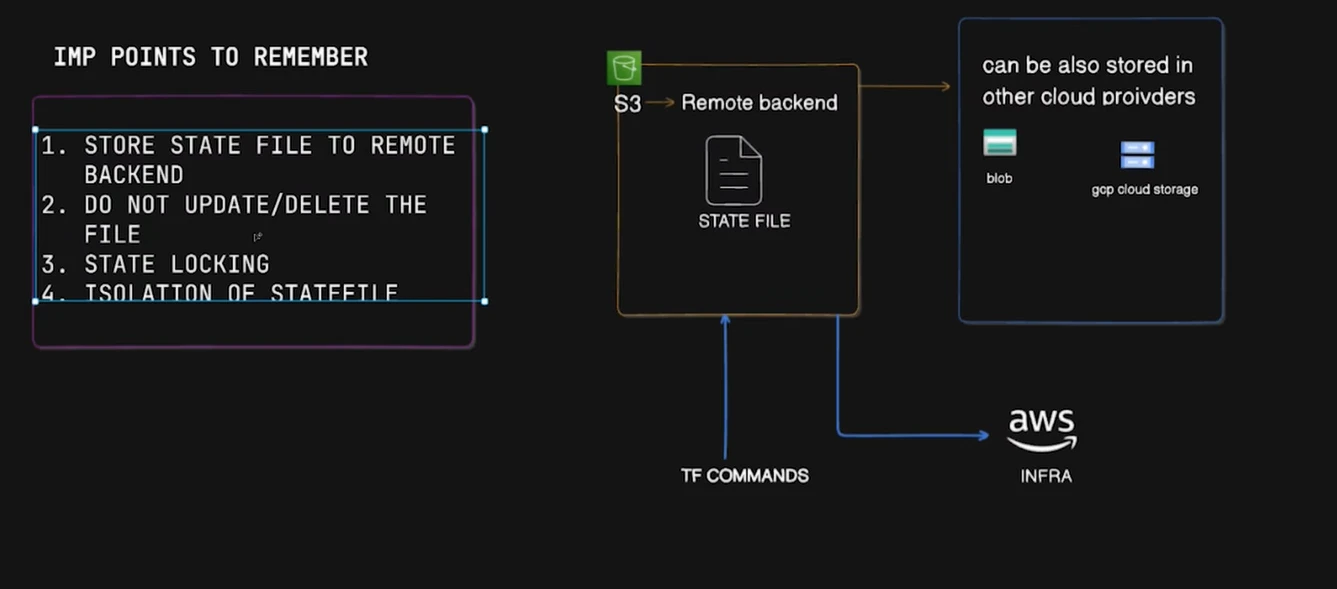
👉 State = Terraform’s source of truth. (Never Delete)
⭐ Remote Backend (S3)
Remote backend stores state in AWS S3 instead of local.
Benefits:
- ✔ Secure, centralized storage
- ✔ Versioning & backups
- ✔ Team collaboration
- ✔ Locking → Prevents two people running Terraform at the same time.
Backend block: Backend bucket must always exist before Terraform runs.
terraform {
  backend "s3" {
    bucket         = "my-tf-state"
    key            = "dev/terraform.tfstate"
    region         = "us-east-1"
    encrypt        = true
    use_lockfile   = true
  }
}
⭐ State File Lifecycle
Every Terraform command uses the state file:
- terraform plan → compares tfstate ⇄ AWS
- terraform apply → updates AWS + updates state
- terraform destroy → removes AWS resources + updates state
State file is always synced with real infra.
⭐ Remote State File Structure (S3)
Example S3 folder:
my-tf-state/
  dev/terraform.tfstate
  test/terraform.tfstate
  prod/terraform.tfstate
Use separate state for:
✔ dev
✔ test
✔ prod
Avoid mixing environments.
⭐ Useful Terraform State Commands
| Command | Use |
|---|---|
terraform state list | Shows all managed resources |
terraform state show <resource> | Shows details from state |
terraform state pull | Downloads remote state |
terraform state rm <resource> | Removes from state (advanced) |