🌍 Docker Hub
📋 Docker Image Formats and Registry Usage
| Format | Example | Meaning |
|---|---|---|
| Official Image | docker pull ubuntu | Pulls from Docker’s official repo |
| Username/Image | docker pull ommapari/app | Pulls from a specific Docker Hub user |
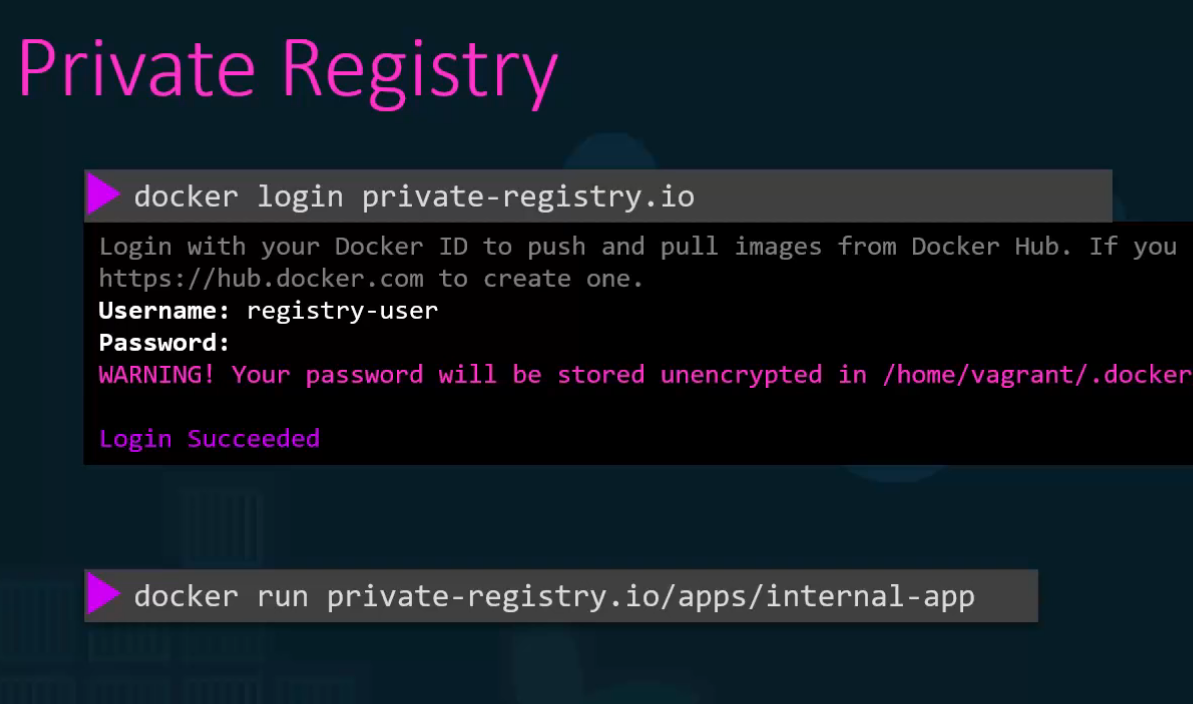
| Private Registry | docker pull 123456789012.dkr.ecr.us-east-1.amazonaws.com/my-app | Pulls from a private registry |
| With Tag | docker pull nginx:1.23.4 | Pulls a specific version |
| With Digest | docker pull nginx@sha256:xyz | Pulls a fixed image version Why use digests? Guarantees that the pulled image never changes, unlike latest. |
Note: Always login before pulling
🚀 Deploy Private Registry and Pull Images
Setting up a Private Registry
docker run -d --name=my-registry -p 5000:5000 --restart always registry:2Pull and Tag Images
docker pull nginx:latest httpd:latest

docker image tag nginx localhost:5000/nginx:latest
View Tagged Images
docker images REPOSITORY TAG IMAGE ID CREATED SIZE
localhost:5000/nginx latest 53a18edff809 6 weeks ago 192MB
nginx latest 53a18edff809 6 weeks ago 192MB
Push to Private Registry
docker image tag nginx localhost:5000/nginx:latestQuery Registry Catalog
curl -X GET localhost:5000/v2/_catalog{"repositories":["httpd","nginx"]}Pull from Private Registry
docker pull localhost:5000/nginx🖼️ Docker Hub Examples
💡 Best Practices
- Always use specific tags instead of
latestin production - Use digests for guaranteed immutable deployments
- Set up private registries for proprietary applications
- Regularly scan images for security vulnerabilities
- Keep images lightweight by using minimal base images
- Use multi-stage builds to reduce final image size