🔗 Docker Compose
🌟 What is Docker Compose?
- A tool for defining and managing multi-container Docker applications
- Allows starting multiple containers in one go using a single YAML file (
docker-compose.yml)
🤔 Why Use Docker Compose?
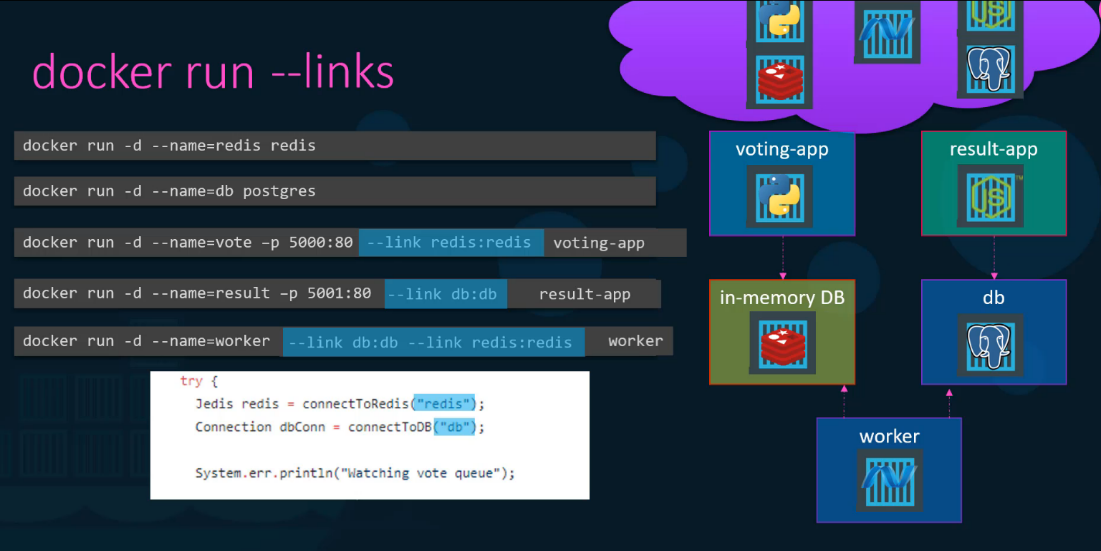
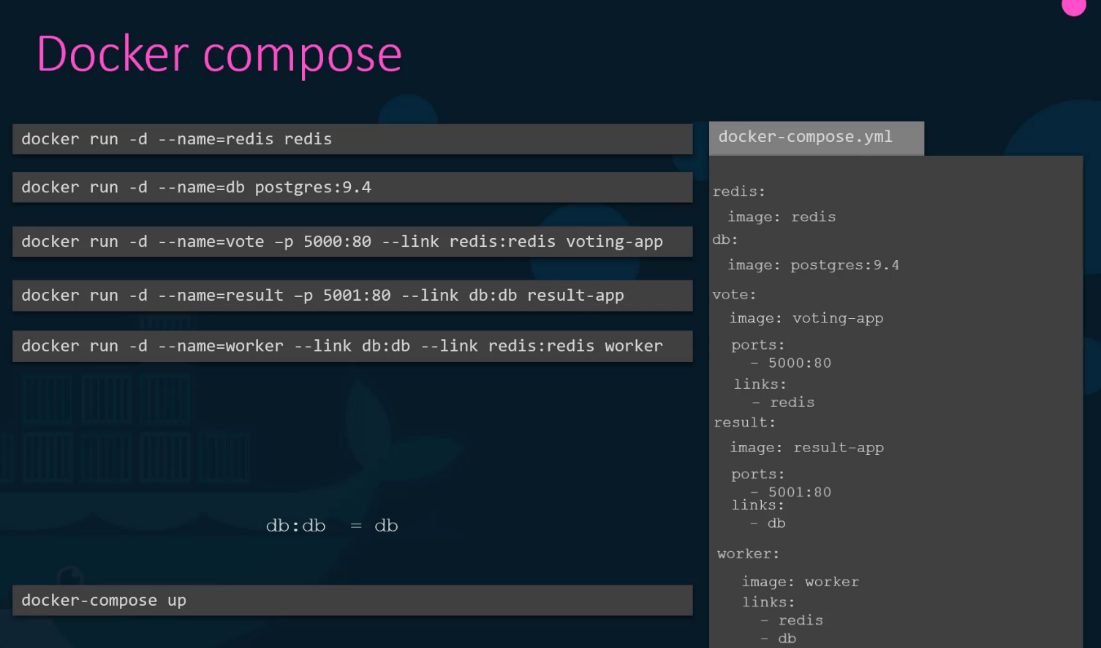
Instead of running multiple docker run commands manually, Docker Compose lets you define all services in a single configuration file and manage them together.
🛠️ Basic Structure of docker-compose.yml
version: '3.8'  # Docker Compose version
services:
  app_service:  # Name of the service (container)
    image: my_app_image  # or ./vote # location to Dockerfile
    ports:
      - "8080:80"  # Port mapping (host:container)
    links:
      - db_service  # Deprecated: Was used to Linking to another service
    networks:
      - app_network  # Custom network
    depends_on:
      - db_service  # Ensure the database starts first
    environment:
      - APP_ENV=production

  db_service:
    image: mysql:5.7
    environment:
      MYSQL_ROOT_PASSWORD: example
    volumes:
      - db_data:/var/lib/mysql

networks:
  app_network:

volumes:
  db_data:
🛠️ Key Docker Compose Components
| Component | Description |
|---|---|
| Services | Defines individual containers (like app and database) |
| Ports Mapping (ports) | Maps ports between host and container |
| Links (links) (Deprecated in v3+) | Adds entries to the /etc/hosts file to allow container communication |
| Depends On (depends_on) | Ensures one service starts after another |
| Networks (networks) | Creates isolated networks for secure communication |
| Volumes (volumes) | Persistent data storage between container restarts |
| Build Context (build) | When a Dockerfile is available, specify the build directorybuild: ./app_directory |
🚀 Essential Docker Compose Commands
| Command | Description |
|---|---|
docker-compose up -d | Start containers in the background |
docker-compose down | Stop running containers |
docker-compose logs | View logs |
docker-compose up --scale app_service=3 | Scale services |
🔗 Container Communication
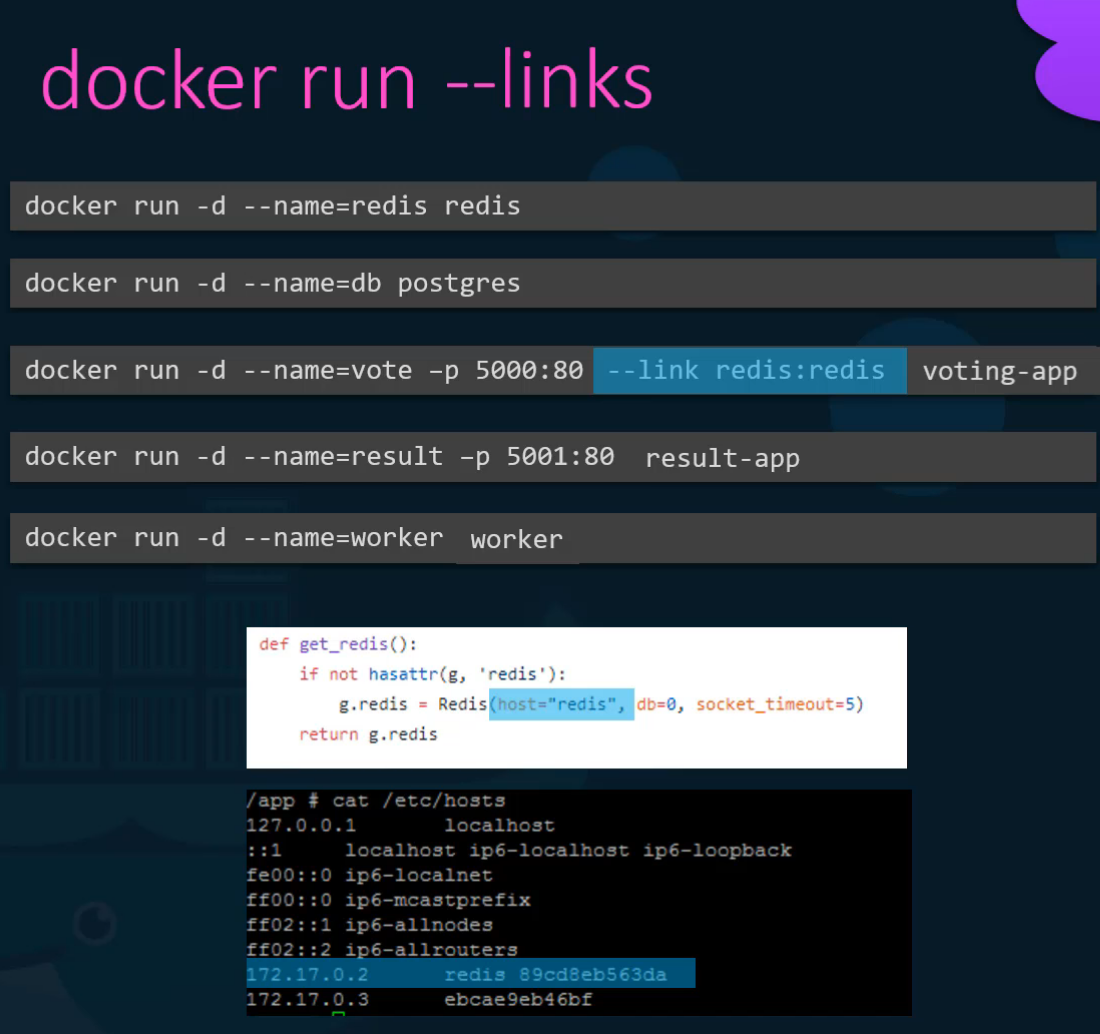
Legacy Links (Deprecated)
--link redis:rediscontainerName:NameOfHostAppLookingFor- Adds entry to the host file of the target container
Modern Networking Approach
Instead of using deprecated links, use custom networks:
services:
  voting-app:
    networks:
      - front-tier
      - back-tier

  redis:
    networks:
      - back-tier

networks:
  front-tier:
  back-tier: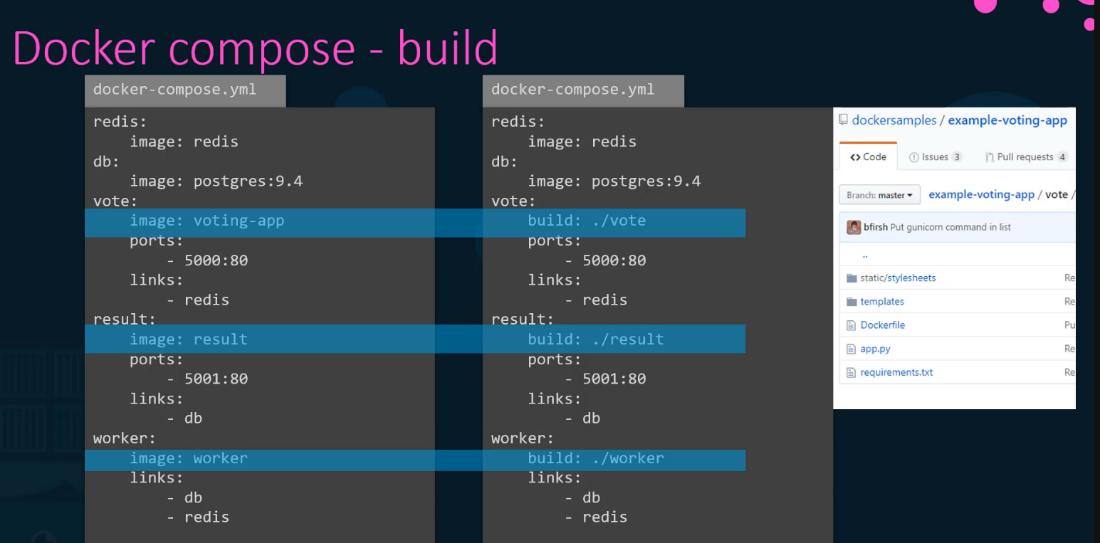
🌐 Network Management
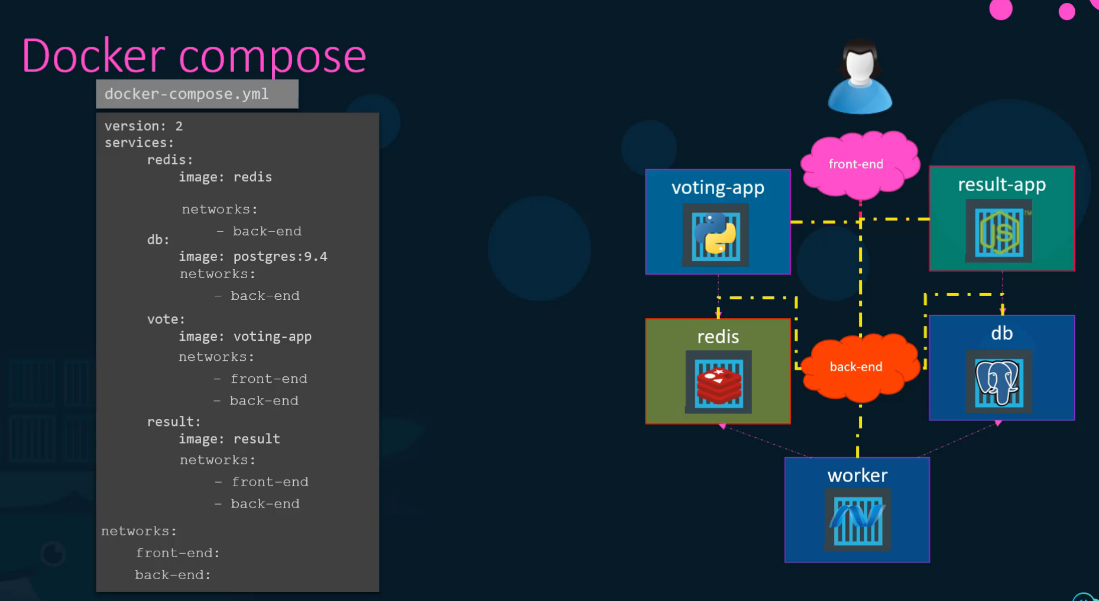
- Docker Compose automatically creates a default network for your application
- Services can communicate using service names as hostnames
- Custom networks provide better isolation and security
💡 Best Practices
- Use specific image tags instead of
latest - Define health checks for critical services
- Use environment files (
.env) for sensitive data - Leverage volumes for persistent data
- Use depends_on to define service startup order
- Always use networks instead of deprecated links