🚦 CMD vs ENTRYPOINT
📋 Overview
Both CMD and ENTRYPOINT define commands that run when a Docker container starts, but they behave differently when additional arguments are provided.
🔵 CMD (Command Directive)
Purpose:
- Provides default command to run when the container starts
- Can be overwritten at runtime
Syntax:
CMD ["command", "param1"]
# or
CMD command param1
Example with CMD
FROM ubuntu
CMD ["sleep", "5"]
Behavior:
- Container will terminate after 5 seconds
- Overriding CMD:
docker run ubuntu-sleeper sleep 10sleep 10
🟢 ENTRYPOINT (Entrypoint Directive)
Purpose:
- Sets the executable, making the container behave like a standalone application
- Arguments passed during
docker runare appended to the entrypoint
Syntax:
ENTRYPOINT ["command"]Example with ENTRYPOINT
FROM ubuntu
ENTRYPOINT ["sleep"]
Behavior:
- Running the container with an argument:
docker run ubuntu-sleeper 1010gets appended to entrypoint command, resulting insleep 10
🔄 Key Differences
| Aspect | CMD | ENTRYPOINT |
|---|---|---|
| Override Behavior | Completely replaced by docker run arguments | Arguments are appended to the entrypoint |
| Use Case | Default commands that can be changed | Fixed executable with flexible arguments |
| Flexibility | High - entire command can be changed | Medium - only arguments can be modified |
🤝 Using CMD and ENTRYPOINT Together
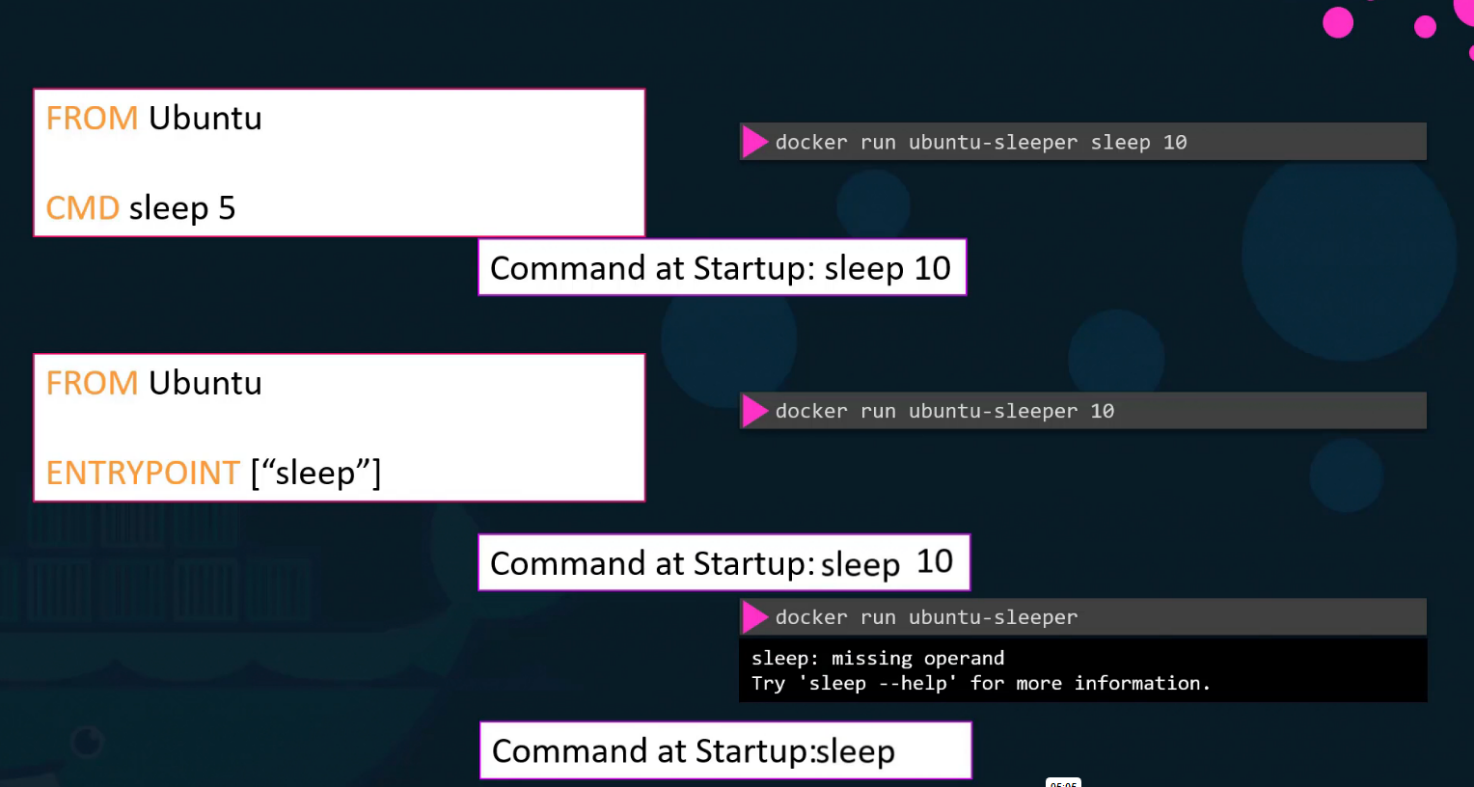
You can use both instructions together for maximum flexibility:
FROM ubuntu
ENTRYPOINT ["sleep"]
CMD ["5"]
Behavior:
- Default run:
docker run ubuntu-sleeper→ executessleep 5 - With argument:
docker run ubuntu-sleeper 10→ executessleep 10 - CMD provides default argument, ENTRYPOINT provides the base command
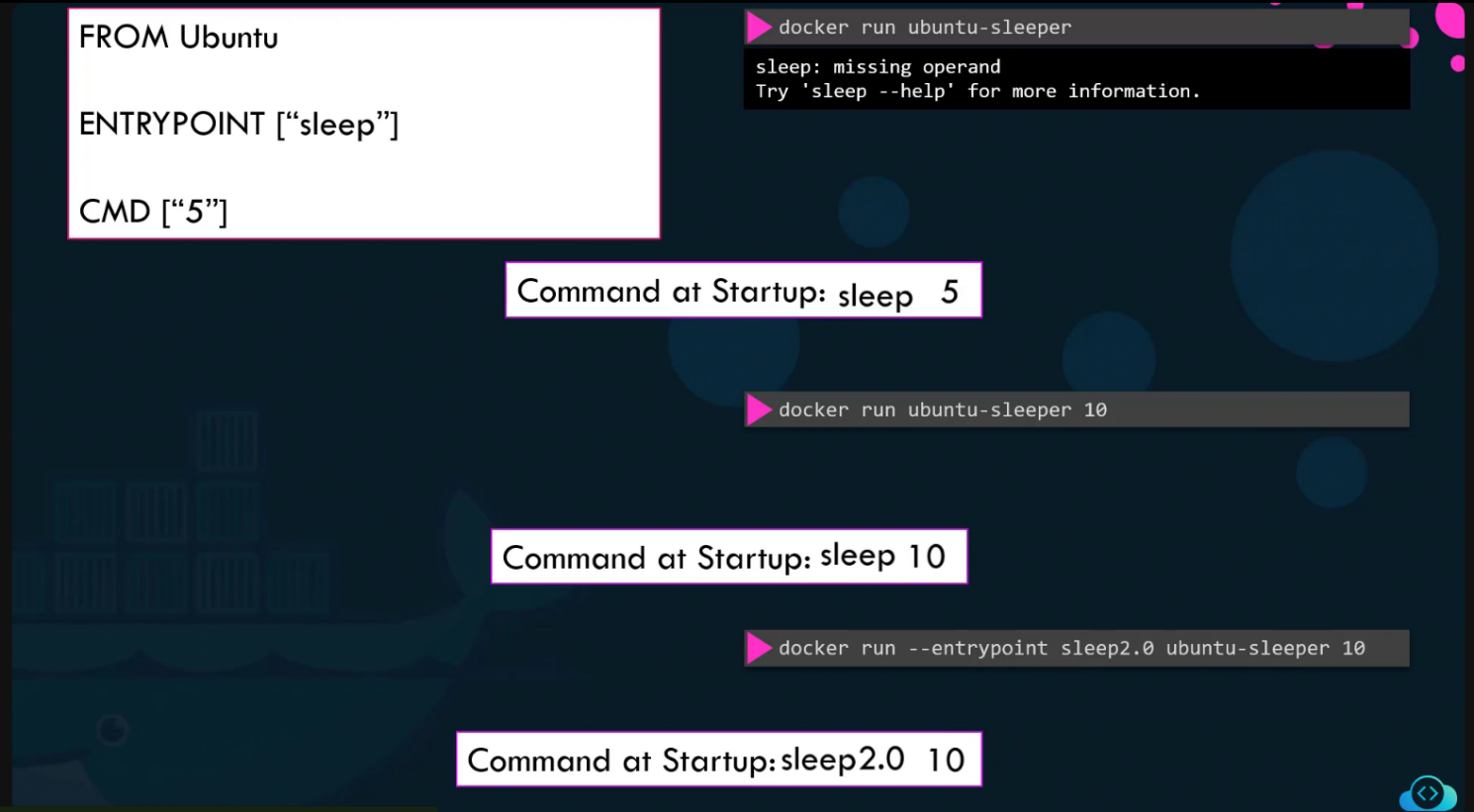
💡 Best Practices
- Use CMD when: You want to provide a default command that can be easily overridden
- Use ENTRYPOINT when: You want to create a container that always runs a specific executable
- Use both when: You want a fixed command with flexible default arguments
- Prefer exec form: Use array syntax
["cmd", "arg"]instead of shell formcmd argfor better signal handling