🏃♂️ Mastering the docker run Command
📋 Basic Syntax
docker run [OPTIONS] IMAGE_NAME[:TAG] [COMMAND] [ARG...]If the tag version is not specified, Docker defaults to
latest.
⚙️ Common Options
| Option | Description |
|---|---|
--name | Assigns a custom name to the container |
-e or --env | Sets environment variables inside the container |
-d or --detach | Runs the container in detached mode (background) |
-p or --publish | Maps container port to host port (host_port:container_port) |
🛠️ Practical Examples
Executing Commands in a Container
docker run ubuntu sleep 5- Starts the container →
- Runs sleep for 5 seconds →
- Stops the container
Verify the execution:
docker ps -a📂 Accessing Files in a Running Container
docker exec [containerID] cat /etc/hostsPrints the content of the hosts file.
🔗 Attach, Detach, and Reattach
docker run -d ubuntu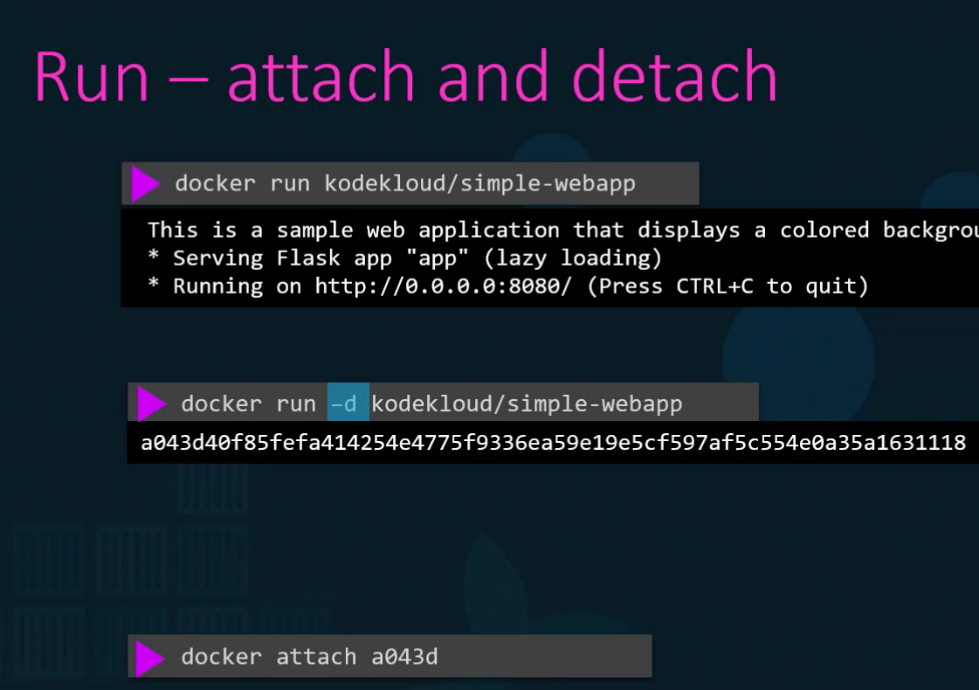
🖥️ Interactive Mode
docker run -it centos bash-i: Interactive input-t: Attach to the terminal- Opens the Bash shell inside the container
🌐 Port Mapping
docker run -p 80:5000 kodekloud/webapp80: Host port5000: Container port
📂 Volume Mapping (Persistent Data)
docker run -v /opt/datadir:/var/lib/mysql mysqlMaps the external folder /opt/datadir to the MySQL container’s data directory.
🔎 Inspect Container Details
docker inspect [containerName]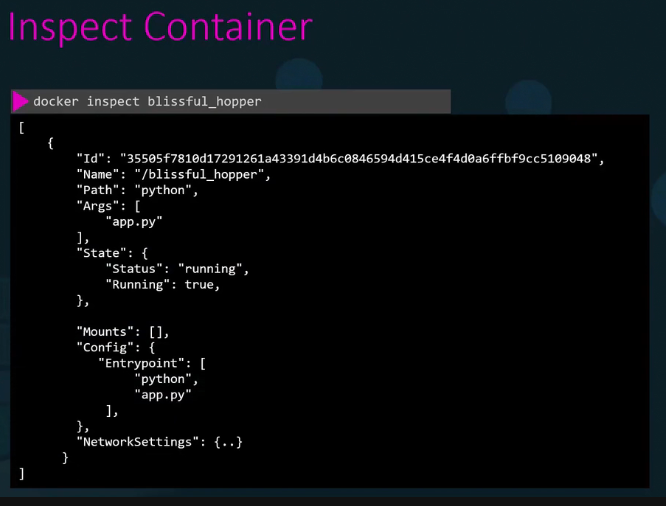
📝 Viewing Container Logs
docker logs [containerName]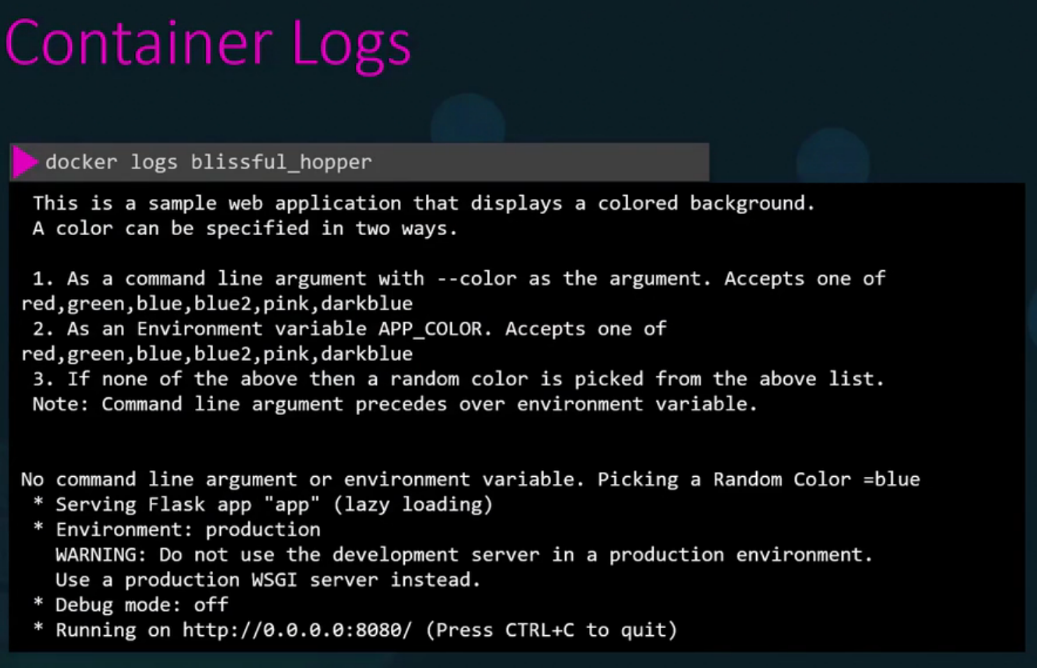
🌈 Setting Environment Variables
docker run -e APP_COLOR=blue simple-webappVerify the environment variable:
docker inspect [containerName]