🧊 Containers Overview
📌 Core Idea
- Containers = lightweight, isolated environments that run apps + dependencies
- ⚠️ Windows containers need Windows host
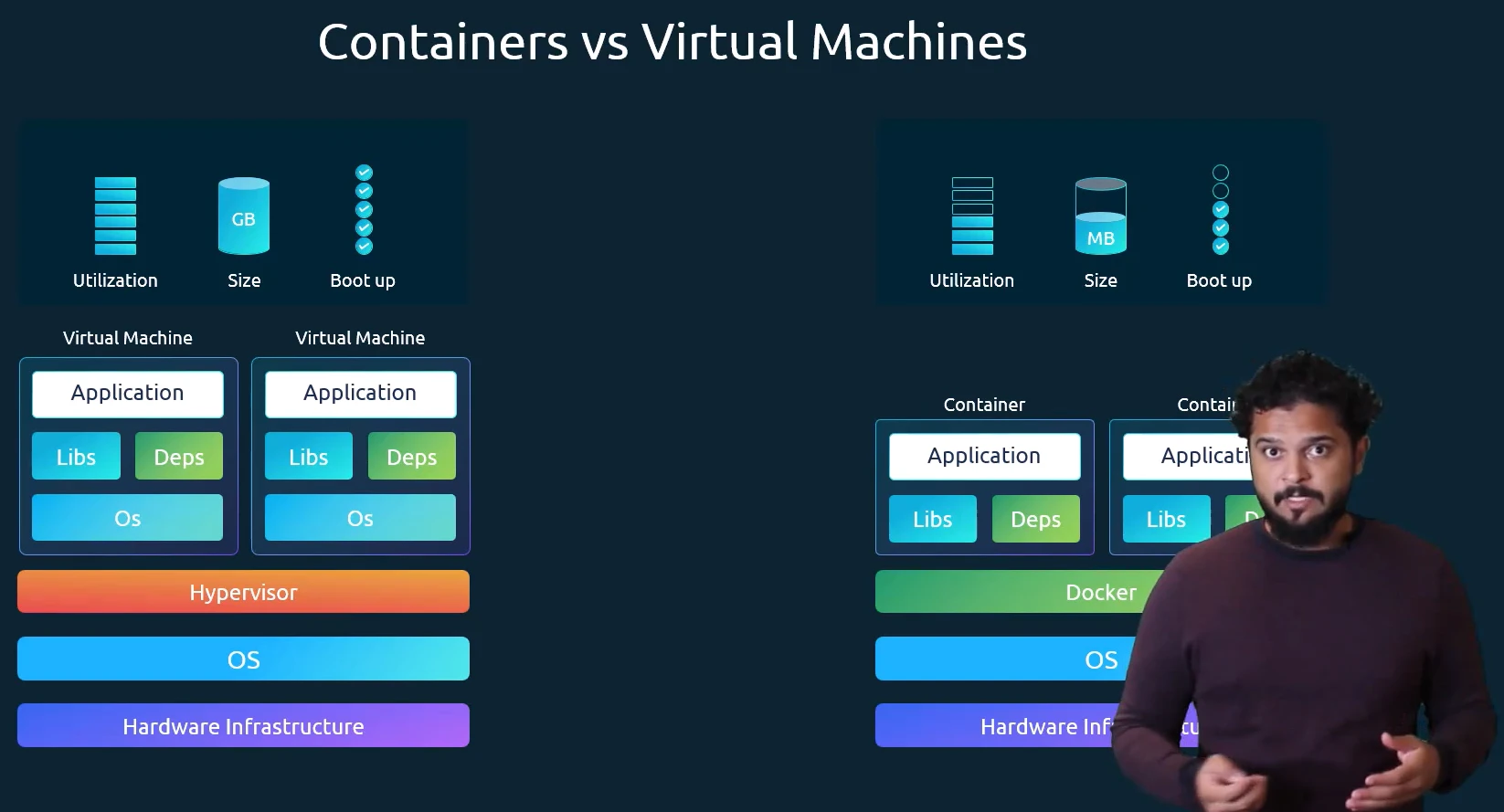
- Faster startup (seconds 🚀), smaller size (MBs 💡) than VMs (GBs, minutes)
- When you run Linux container on Windows === Linux container on Linux virtual machine on Windows
📌 Docker Vs Virtual Machines
| Feature | Containers | Virtual Machines |
|---|---|---|
| Flow | Hardware → OS → Docker → Containers | Hardware → Host OS → Hypervisor → Guest OS per VM |
| Boot Time | Seconds | Minutes |
| Size | MBs | GBs |
| Kernel | Shared Host Kernel | Own Kernel |
| Isolation | Process Level | OS Level |
| Efficiency | High | Medium |
☸️ Kubernetes Overview
📌 What is Kubernetes
- Open-source container orchestration (originally by Google)
- Manages hundreds or thousands of containers across environments (VMs, physical, cloud, hybrid)
- Abstracts container runtime, you interact only with K8s layer
📌 Why Kubernetes (Problems it solves)
- Microservices rise → many small independent containers
- Managing containers via scripts becomes complex / impossible
- Provides 3 major guarantees:
- High Availability → No downtime, always accessible
- Scalability → Fast load, high performance, better response rate
- Disaster Recovery → Restore data to latest state, no data loss
🧩 Core Kubernetes Components
📌 Pod
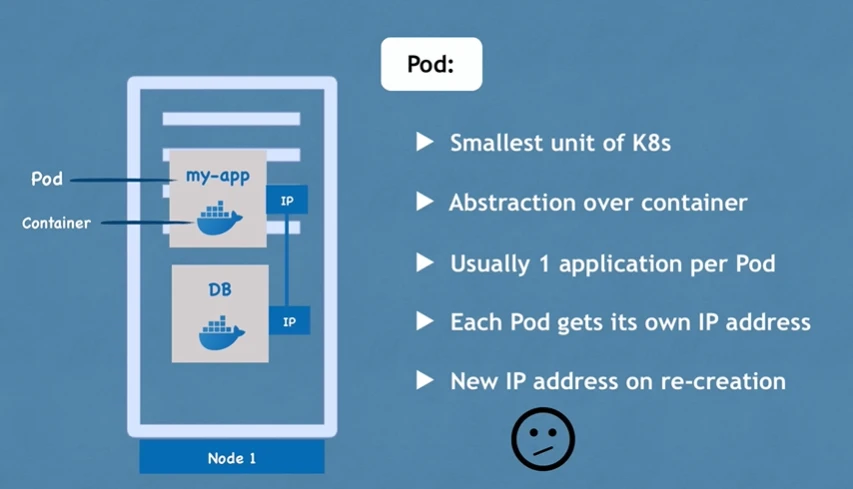
- Smallest unit, abstraction over container
- Gets IP address (not container, Pod itself)
- Usually runs 1 app container
- For sidecar/helper → can run multiple containers
- Pods are ephemeral i.e short-lived (can die, restart → get new IP)
📌 Service
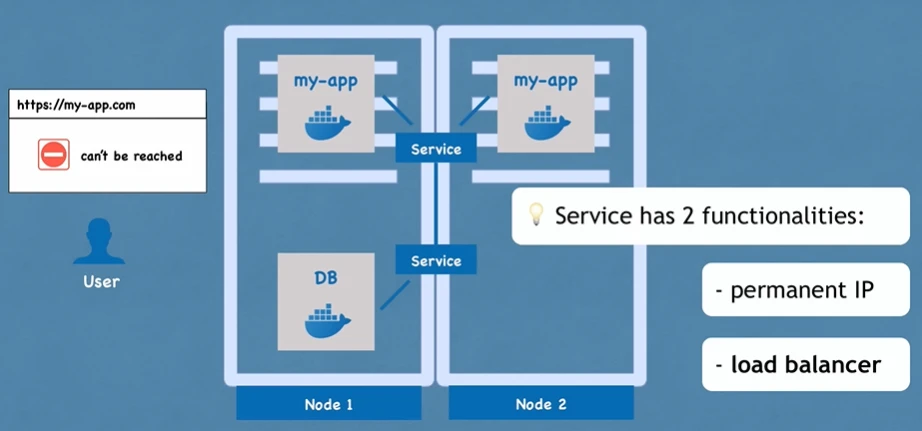
- Provides static IP + DNS for Pod communication (IP endpoint stays even if Pod dies)
- Acts as Load Balancer (routes to least busy Pod)
- Types:
ClusterIP→ Internal onlyNodePort→ Exposes via Node IP + PortLoadBalancer→ Cloud LB integrationExternalName→ Maps to external DNS
- Internal vs External service:
- For Database → Internal Service (not public)
- For Frontend App → External Service (Exposes app outside via NodePort/LB/Ingress)
📌 Ingress
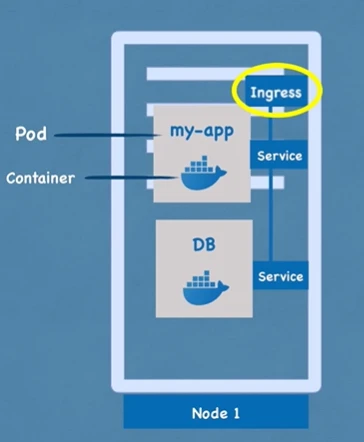
- Routes traffic via HTTPS + Domain (example:
app.example.com) - Sits before Service, handles forwarding + routing rules
📌 ConfigMap
- Like AWS SSM Parameter
- Stores non-sensitive external configs (DB URLs, service endpoints)
- Update config → no rebuild of image needed
- Mounted to Pod as
env varsorproperties file
📌 Secret
- Stores sensitive data (passwords, certs, tokens)
- Saved as Base64 encoded (not plain text)
- Injected into Pod like ConfigMap using:
- Environment variables Or properties file
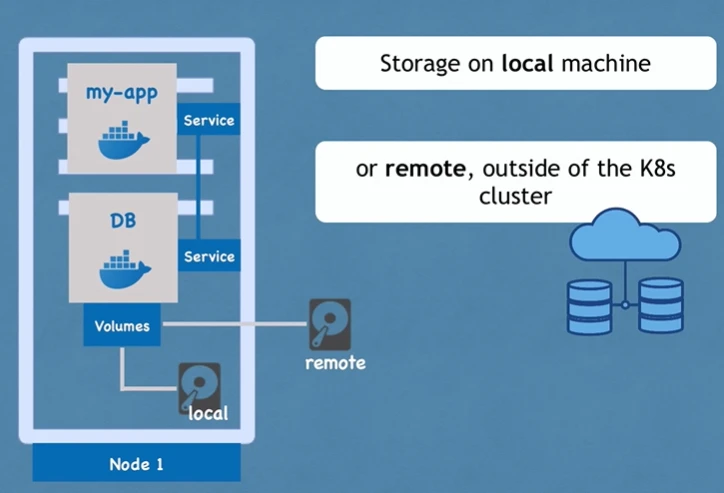
📌 Volumes
- Attaches physical storage to Pods (Like external hard drive)
- K8s does NOT manage backup
- User/admin responsibility:
- Need to handle replication, backup, hardware durability yourself
📦 Deployments & StatefulSets
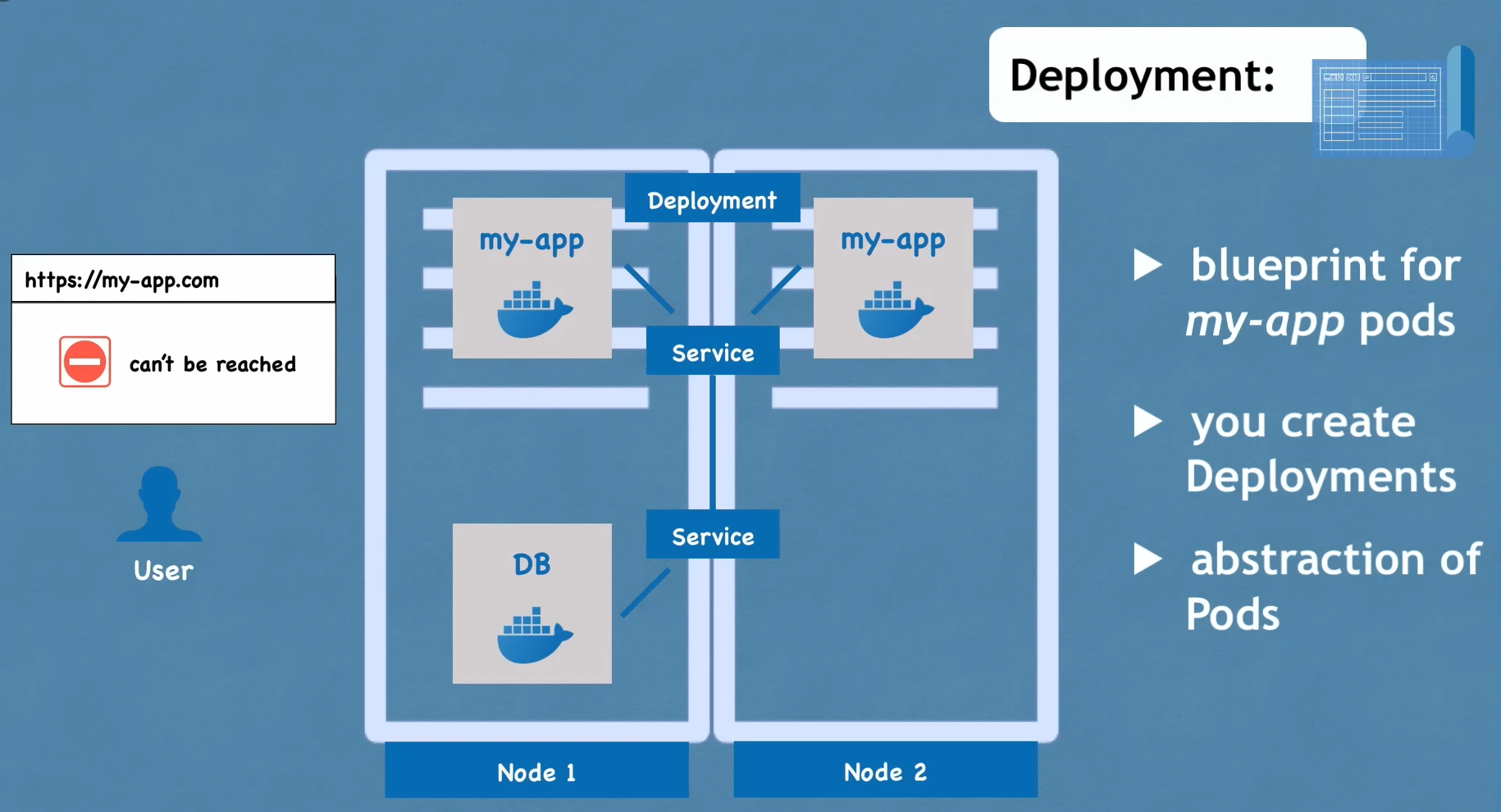
📌 Deployment
- Blueprint for Pods
- You create Deployments, not Pods directly
- Provides:
- Replica management
- Scale up/down
- No shared state dependency
- Used for stateless apps (Web servers, APIs)
- Commands:
kubectl apply -f deploy.yamlkubectl get deploykubectl scale deploy app --replicas=3
📌 StatefulSet
- Used for stateful apps (DBs like MongoDB, MySQL, ES)
- Ensures:
- sync reads/writes to shared storage
- No data inconsistency
- Harder than Deployment, so common practice is:
- Host DB outside the K8s cluster